
Help Centre - Frequently Asked Questions
Search
Search Results
- Building your Family Tree
- Deleting your Family Tree
- Exporting Gedcoms
- How do I view trees that have been shared with me?
- How do I view other trees?
- How do I print out my family tree?
- How do I change the parents of someone in my tree?
- How do I change my root person/tree owner?
- How do I edit details already in my tree?
- How Do I Delete My Tree?
- Importing Gedcoms
- Why do I see an error when trying to view my tree?
- Why can't I see all of my shared trees on my dashboard?
- Why can't I see the 'Save' tab on my details panel?
- What are Relative Profiles?
If none of the above FAQs answer your question, please submit your query to our dedicated support team.
How do I change my root person/tree owner?
If your tree opens up with an incorrect root relation/tree owner, you can alter this yourself.
· Open your family tree by clicking 'Family Tree' then 'My Tree'.
· At the very top of the page, click 'View Other Trees'.
· You'll see your tree listed at the top of the list, and a button to the far right which says 'Change Root'.
· You can then start typing the name of your new root relation and the tree builder will bring up a list of potential relatives.
· Remember to save your new tree owner.
Electoral Roll records
Looking for living relatives?
Search our UK Electoral Rolls (2002-2013) and find your living relatives today.

The British Newspaper Archive

Read about historical events at the time they were happening. Perhaps you'll discover your ancestor in their local newspaper?
New Military Records
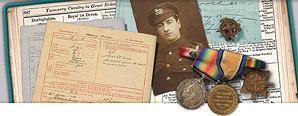
Was your ancestor a war hero?
View thousands of new military records including Chelsea Pensioner records, Military Nurses, Prisoners of war and much more.
Gift subscriptions

Do you know someone interested in discovering their family history?
You can now buy a gift subscription to Genes Reunited so they can research their family tree.